Skip to content

For creators

Approved means paid. Nobody chases.

When a brand runs its creator program on CreatorMecca, you get one simple app on your phone: your contracts, your drafts, your notes and your payday, for every brand you work with.

Got an invite? Open the link in your email. Creators never pay; brands invite you.

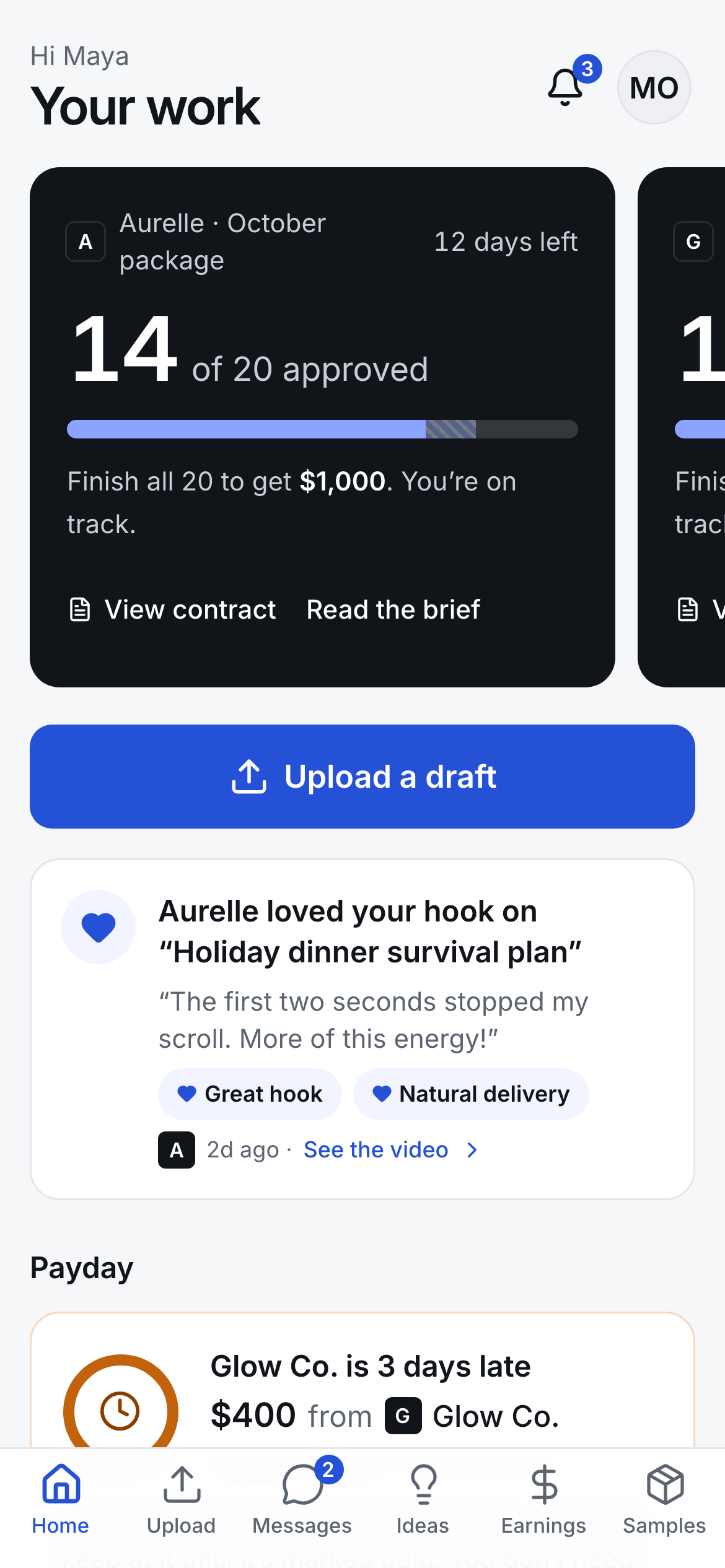
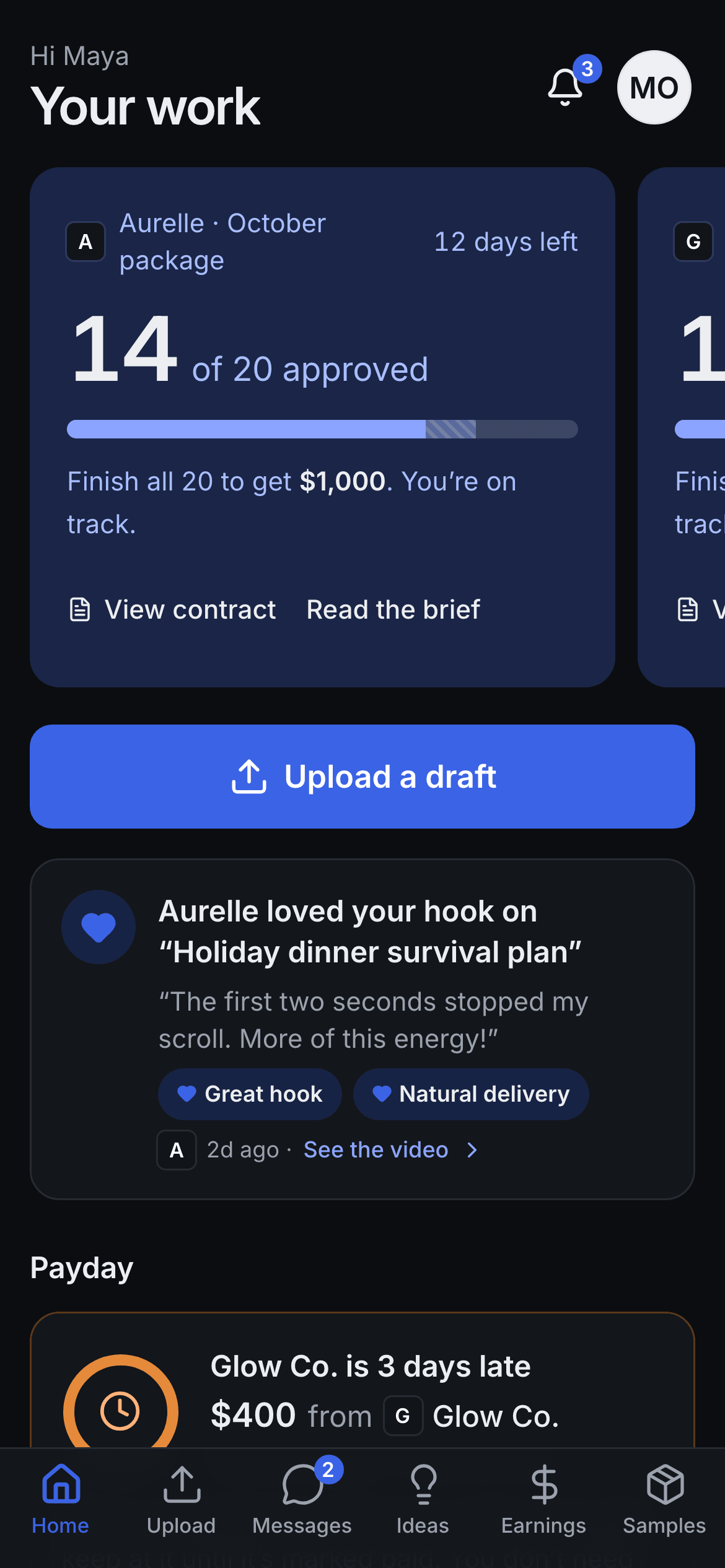
The creator app home screen: contract progress toward payment, a button to upload a draft, and a Love Note from the brand.

Payday

See your payday coming.

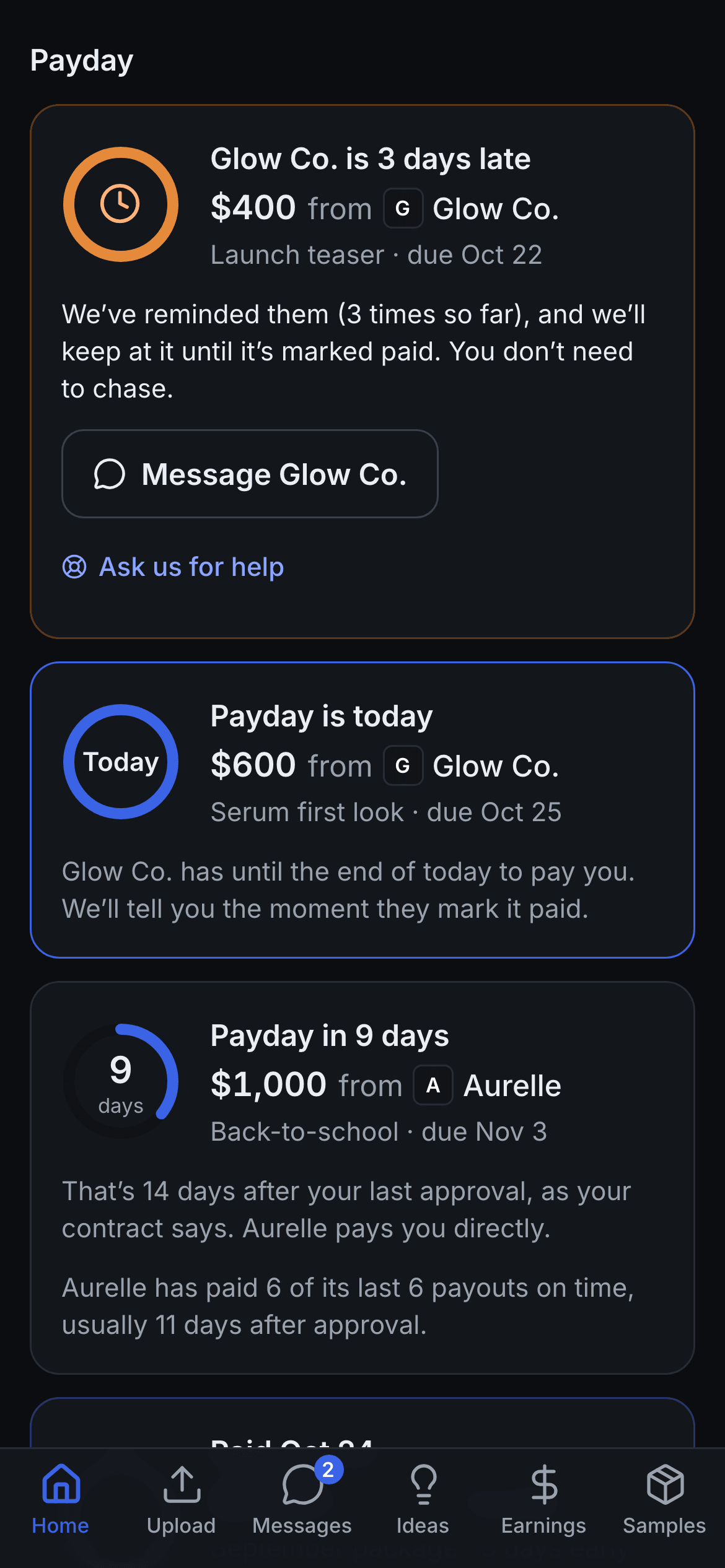
Your contract says what you’ll be paid and when. Once every video is approved, a countdown starts on your Home screen. If a brand is late, we remind them, so you don’t have to chase. When it’s paid, you’ll see it.

  • A payday countdown for every brand
  • Reminders go to the brand, not you
  • Earnings history and a tax-year statement
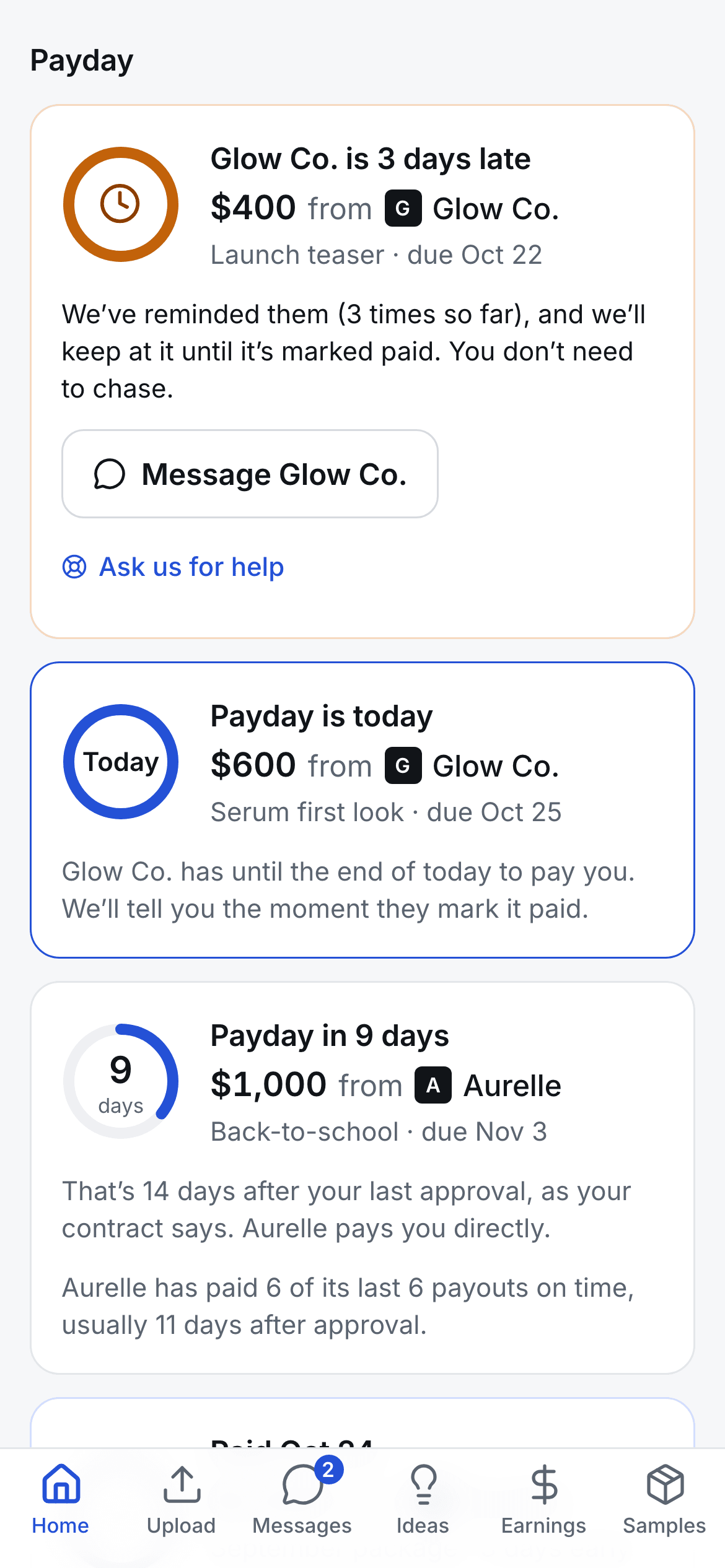
Payday on the creator’s phone: a late payment the app is chasing for them, one due today, and a countdown ring for the next payday.

Feedback

Know what’s required and what’s your call.

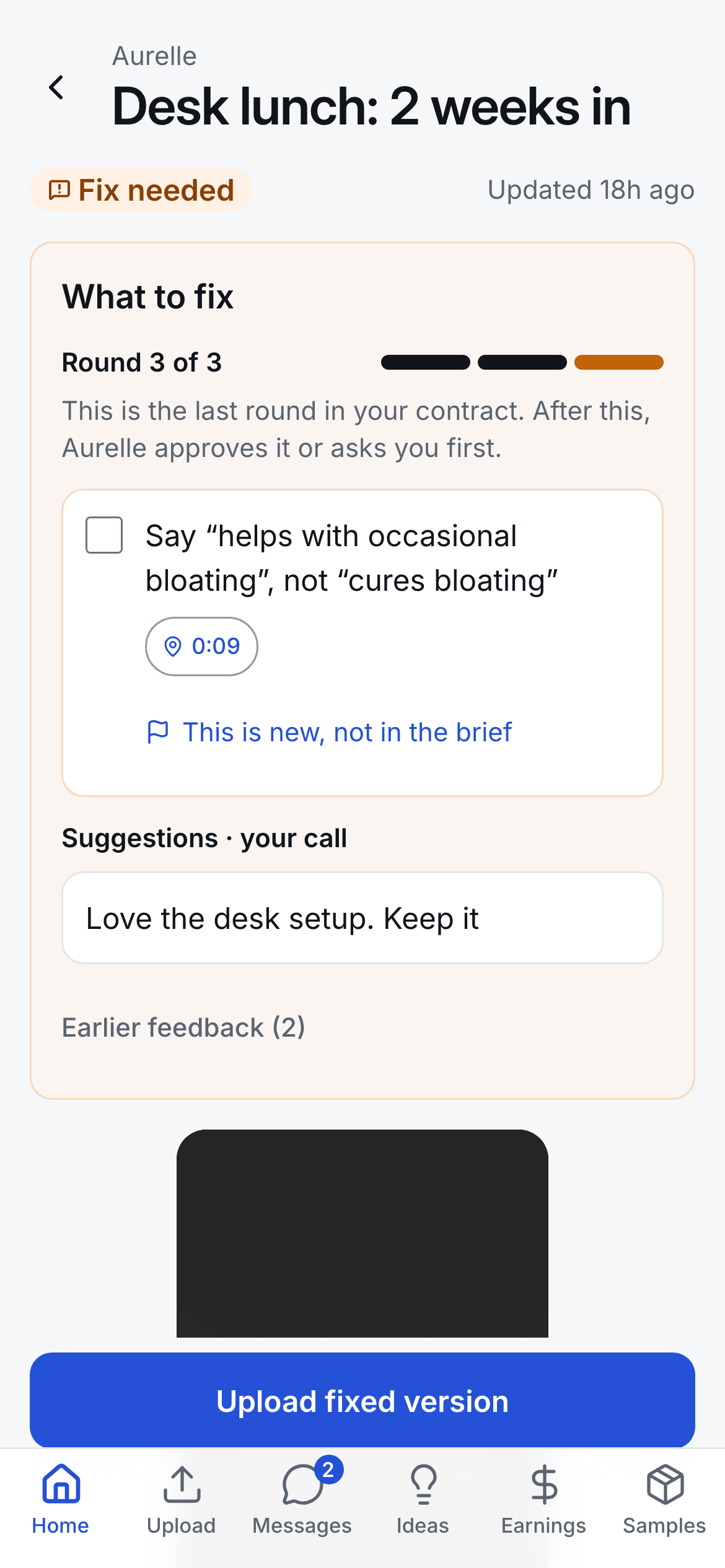
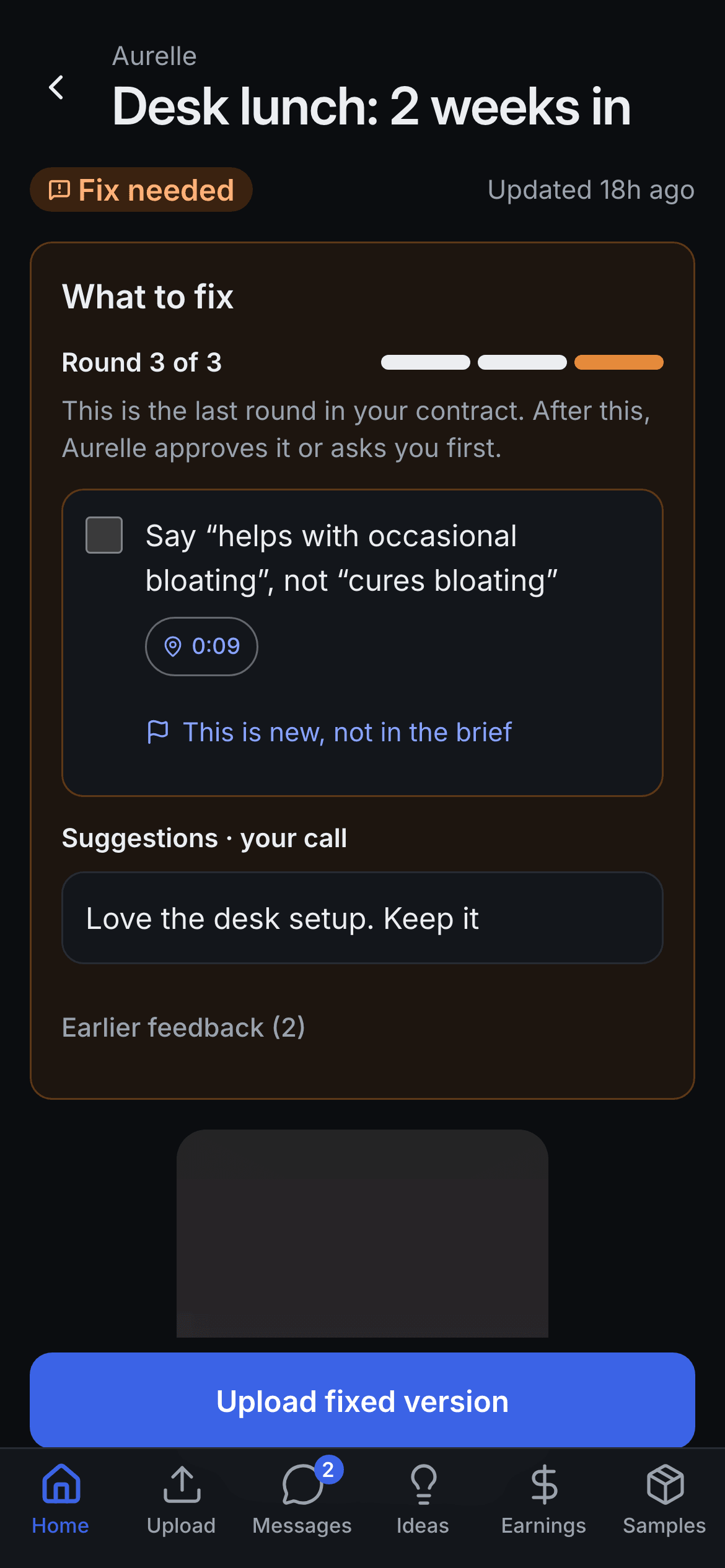
Must-fixes come as a checklist. Suggestions sit below, marked “your call”. Notes point to the exact second in your video, and some come as voice notes. You can see how many revision rounds your contract includes, and how many you’ve used.

  • Must-fix vs suggestion
  • Timestamped and voice notes
  • A revision rounds meter
The fix screen on the creator’s phone: round 3 of 3, a must-fix note pinned to 0:09 and flagged as new, and a suggestion marked your call.

Built to be fair

The details that make a brand easy to work with.

  • If it wasn’t in the brief, say so.

    Tap “new, not in the brief” on any note. The brand decides fairly: make it optional, show you the line in the brief, or pay you for the extra.

  • Your clock starts when the product arrives.

    Tap “arrived” when your sample lands. Your first-draft deadline counts from that day, not from when it shipped.

  • Every brand. One login. One to-do list.

    Work with several brands? See what’s due, what needs fixing and what’s getting paid, all in one place.

  • Drafts from your camera roll.

    Upload straight from your phone. Big files keep going if you lose signal or switch apps.

  • Keep the compliments.

    When a brand loves your hook, you’ll see it. Love Notes are saved on your profile under Kind words.

  • A statement for tax season.

    Your earnings across brands for the tax year, ready to print or download for your accountant.

You see your work. Brands keep their numbers.

Brands see their sales and ad results. You see your contracts, notes and pay. Nobody ranks you on a leaderboard you can see, and your app never shows a brand’s revenue or ad spend. That’s the rule, built into the system.

If you work with two brands, neither can see the other’s contracts, rates or your work for them.

How it starts

Four steps, all on your phone.

  1. 01A brand invites youThe invite comes with the contract: fee, videos, dates and revision rounds.
  2. 02You sign on your phoneRead the terms in a plain layout and sign. You keep a copy.
  3. 03Sign in with a codeWe email you a code. No password to remember.
  4. 04Set up and make something goodAdd your name, TikTok username, payout method and shipping address.

FAQ

Questions creators ask.

Do I pay anything?

No. Brands pay for CreatorMecca. It’s free for creators.

Is there an app to download?

No download. It runs in your phone’s browser, and you can add it to your home screen.

How do I get paid?

The brand pays you directly, using the payout method you add (PayPal, Venmo, Wise or bank). CreatorMecca shows when it’s due, reminds the brand, and shows you when it’s been paid.

When do I get paid?

In full, when every video in your contract is approved, by the due date in your contract.

Can I work with more than one brand?

Yes. One login covers every brand that invites you.

Can brands see my other brands?

No. Each brand sees only its own contracts, videos and messages with you.

Can I join without an invite?

Not yet. A brand invites you with a contract. Tell the brands you work with.

Working with a brand that should be on CreatorMecca?

Send them this page. It’s free for you, and they’ll run a fairer program.